
If your company still relies primarily on an on-premises data center, moving to cloud computing can deliver many business benefits, a range of technical capabilities, scalability, performance, security, and costs like or better than your on-premises data center, without the up-front cost and employee overhead. Also, moving to a cloud computing model can deliver benefits beyond IT operations and provide a return on investment across the organization.
A strong cloud migration strategy should also account for the migration approach, cloud landing zone design, and long-term cost governance. These factors help organizations capture cloud migration benefits without creating avoidable complexity later.
.jpg?width=269&height=259&name=Blog-Diagrams---1%20(1).jpg)
Migration of mobile, web, or desktop applications to the cloud allows enterprises to stay connected with their target market by allowing them to use the program anytime, from any location, over the internet. Fast cloud platform adoption enables businesses to make precise business decisions by accessing their data in real-time. Once your company migrates to the cloud, it will save on cloud costs, increase efficiency, and accelerate growth by adopting a cloud operation–based model on infrastructure as a Service (IaaS) technology. Modernize to drive innovation with a fully managed Platform as a Service (PaaS) offering, and provide service as Software as a Service (SaaS) is accessible through the internet.
Cloud migration benefits
The benefits of migrating to the cloud are not limited to infrastructure savings. Enterprises also gain a more flexible operating model, faster access to innovation, and the ability to align technology investments more closely with business demand. The benefits of cloud computing migration include:
Cost savings and efficiency
For many companies, the primary reason to use cloud services is simple: It costs less than running an on-premises data center, eliminates the need for data storage hardware, and reduces your IT staff's responsibilities. Instead, the cloud stores data on its servers and handles the related overhead costs, including rent, electricity, and switches. Your cloud-services subscription typically bundles these costs into one, so it is more easily budgeted for cloud storage than you could with on-premises data servers.
To maximize savings, many teams now use FinOps practices for cloud cost optimization, ensuring cloud spend stays visible, accountable, and tied to business value. This is especially important as workloads grow and organizations move from simple infrastructure savings to broader cloud computing migration benefits.
Here are three major cloud platforms’ pricing highlights:
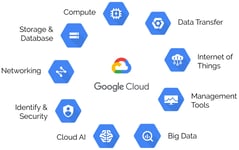
- Google Cloud Platform offers a salary model that allows you to pay only for the resources you utilize. This might be significantly more affordable than conventional on-premises infrastructure, which frequently requires considerable upfront investments. The monthly price of cloud storage here is $0.020 per GB for standard storage, $0.010 per GB for nearline storage, $0.004 per GB for cold storage, and $0.0012 per GB for archiving.
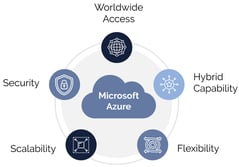
- Most Microsoft Azure services operate on a pay-as-you-go model, billed based on actual usage. This flexibility allows you to scale resources up or down as needed. Azure has four pricing editions, from $29 to $1,000. A free trial of Microsoft Azure is also available.
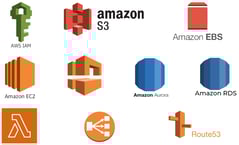
- AWS (Amazon Web Services) offers you a pay-as-you-go approach for pricing for most of its cloud services. With AWS, you pay only for the individual services you need for as long as you use them and without requiring long-term contracts or complex licensing. AWS pricing is similar to paying for utilities like water and electricity. You only pay for the services you consume, and once you stop using them, there are no additional costs or termination fees.
While pricing models vary, the right comparison should also consider workload fit, data transfer costs, and operational overhead rather than storage rates alone. A lower sticker price does not always mean lower total cost of ownership.

Speed and performance
Cloud infrastructure and applications let the company quickly respond to new opportunities and problems and achieve optimal application performance. IT teams can implement new cloud applications faster because there’s no data center hardware to buy and deploy, or Software to install. Businesses can rapidly develop and deploy applications in a cloud environment in multiple regions worldwide.
Organizations often start with a lift-and-shift move when speed matters, but others choose to re-platform or re-architect to get better performance and cloud-native efficiency. The best path depends on application complexity, business priorities, and how quickly the organization needs results.
After going live on cloud apps, users regularly gain access to new cloud app capabilities without installing software upgrades. Cloud service providers continuously refresh their solutions without requiring customers to do any IT work or purchase any updates or hardware; the system remains continuously backed up, serverless computing, seamlessly updated without extra expense. As teams no longer have to worry about buying and provisioning hardware, databases, powering servers, and containers, new development projects can be set up in AppDev environments in minutes.
Scalability and flexibility
Cloud infrastructure provides a highly scalable infrastructure that can be modified automatically to fit your requirements. This means that when your company grows, it will be simple to expand your resources to handle the increase in customers and demand.
Cloud computing offers an extensive range of services that can be customized to fit your company’s particular requirements. This covers computing, storage, replicating data to any geographic region, networking, and other services.
For example, the world's shift to hybrid and remote work during the early days of the COVID-19 pandemic required a sudden reliance on video conferencing and video providers. Many of our clients were able to ramp up their capacity to meet that surge in demand by tapping cloud-based infrastructure. Increasing or reducing available resources as quickly as using a company-owned data center would have been impossible.
This is one reason why many enterprises view the advantages of cloud migration as strategic rather than purely technical. The ability to scale up or down quickly supports resilience, customer responsiveness, and business continuity.
Identity and security
Many cloud environments have built-in security functions that can provide robust security features to help safeguard your company's assets, compliance, and data protection. This includes places like identity and access control, in addition to encryption, implementing tools such as two-factor authentication, and accessing data from on-premises or VPC (Virtual Private Cloud). No matter how talented or large an on-premises data center's IT team is, it's almost impossible to match the resources a cloud vendor can dedicate to security monitoring, patching, and research and development.
A well-designed cloud landing zone also helps standardize identity, security, networking, and account structure across teams. This reduces risk during migration and creates a more governed foundation for future workloads.
Reliability and availability
System outages or sudden spikes in demand can slow IT systems and impede productivity. A cloud solution offers layers of mitigation, including a combination of failover options and automated resource management to help keep applications running. For example, if a cloud provider gets a spike in demand from one application, it can automatically shift some resources from applications with lower demand. This type of real-time automation maximizes reliability without taxing an organization’s IT staff. Also, Cloud provides one-click backup and recovery capabilities.
A data center is only as good as its disaster recovery and business continuity plan. Cloud infrastructure providers maximize availability with strong redundancy and distribution through separate zones within their data centers and across multiple cloud facilities. Disaster recovery is inherently built into an organization's cloud computing strategy without requiring additional investment. Cloud adoption also improves resilience planning because backup, failover, and recovery can be built into the operating model from day one. This makes cloud migration benefits especially valuable for business-critical applications that cannot tolerate long outages.
Collaboration and innovation
Cloud technology has significantly changed the way people collaborate online. Cloud applications enable more effective remote access, as noted above. But even more importantly, because all employees are accessing the same cloud-based application instance and data via a browser, people from every part of the company can collaborate knowing they’re all working with the same information, enabling faster workflows, better-informed decision-making, and productivity increases as a result. Regardless of location, remote teams can easily interact and stay connected with the help of the cloud’s collaboration features.
Cloud-based collaboration also becomes more powerful when teams can use AI-led migration automation to speed up code conversion, dependency analysis, and testing. That shortens migration timelines and frees teams to focus more on innovation than manual effort.
Vendor lock-in and exit strategy
One of the most important considerations in cloud computing migration is vendor lock-in risk. Organizations should plan an exit strategy early, using portable architectures, data governance controls, and modular designs where possible to preserve flexibility over time.
Conclusion
Cloud computing is a platform that offers many services to businesses of all sizes. It is flexible and cost-effective, protects data and applications, helps businesses comply with regulations, reduces complexity, improves teamwork and productivity, focuses on customers, and helps businesses grow. Cloud's network infrastructure is fast, reliable, and secure, which helps improve application performance and reduce task completion time.